

The Journey of Digital Bulk Tickets
How to provide clients with intuitive methods of managing large numbers of tickets across all segments.
CLIENT
Ticketmaster
STAKEHOLDERS
Livenation
NFL
Verizon
MY ROLE
User Research, User Journey, Sketching, Wireframing, Visual Design, Interaction Design
DURATION
Jan 2020 – Present
With SafeTix rolling out to clients, such as the NFL, mobile ticket adoption is of utmost importance. However, clients have identified a gap in our product capabilities to easily distribute bulk amounts of mobile tickets.
PROBLEM
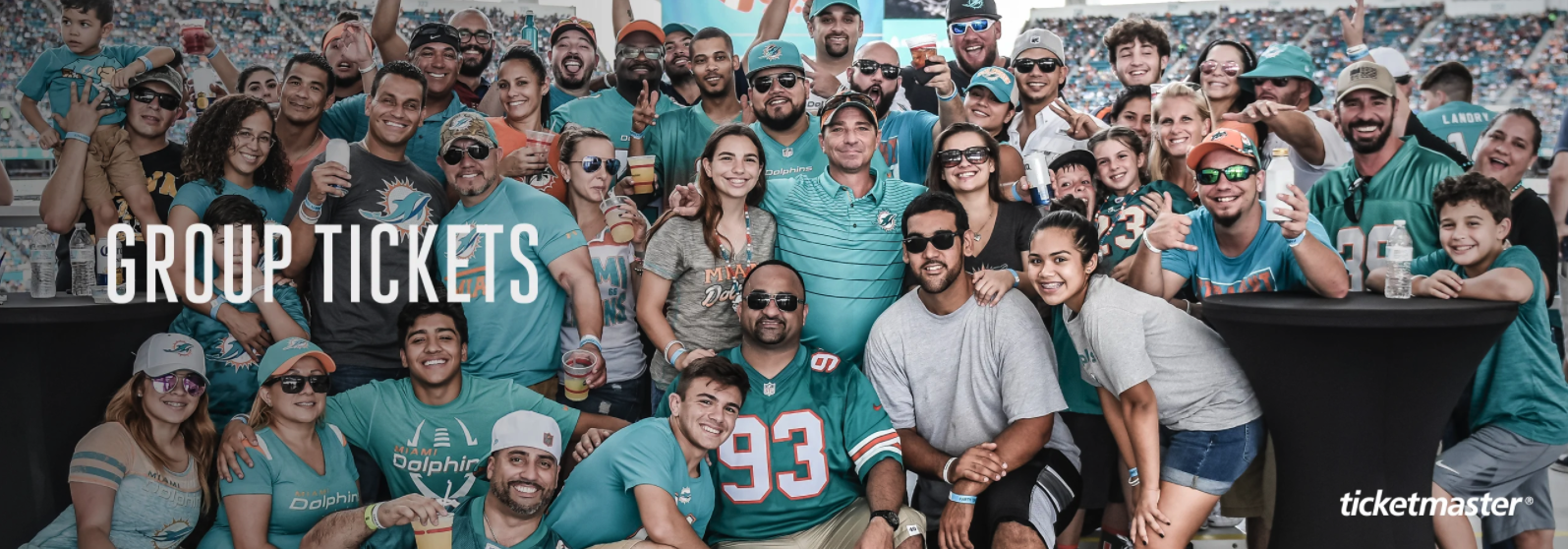
There are currently no offerings in our client toolkit to handle back-office bulk ticket distribution digitally. The biggest pain point is that clients cannot track who is using group tickets. Once the paper tickets are gone, the clients have no control over what happens to the tickets and cannot collect data on who uses the tickets.
MISSION
The goal of this project is to provide intuitive methods of managing large numbers of tickets across all segments by leveraging the TM1 ecosystem. The new functionality should provide better visibility on how the bulk tickets travel across the users/platform and an easy way to manage all the inventory by accessing the share portal.
Key Drivers
Drive adoption of SafeTix & TM1

Uniquely identify more fans
Increase client & fan satisfaction
What We’re Trying to Solve
I wanted to get a clear picture of how clients are currently handling bulk inventory in the back-office. In order to get a better understanding of clients’ use cases and who is involved in the entire process, here are some research techniques the research team and I used for the design.
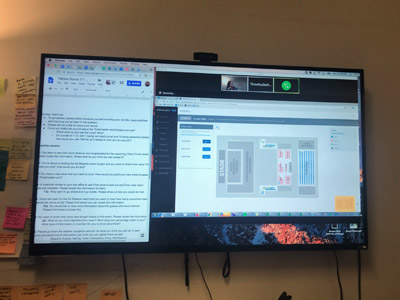
Method #1: Qualitative Data
By performing remote interviews with various clients and internal stakeholders, I learned there were four different personas involved in the bulk ticket distribution journey. The process often varies depending on the size of the venue, event, artist, or use cases. The findings, which include the personas, use cases, and journey mappings, are shared below;
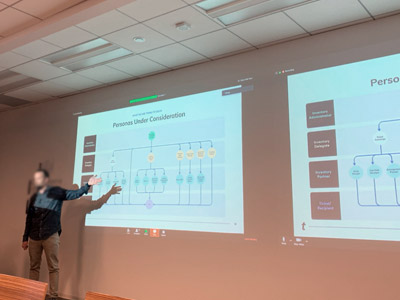
Method #2: Stakeholder Workshop
We invited 30 internal stakeholders to discuss how we can efficiently leverage the TM1 ecosystem to develop new functionality. The research team presented the user journey that we previously researched. There was crucial feedback that helped me identify the use cases and prioritize the design focus for the MVP.
Defining Personas
User Research was crucial to this project since we were designing for an audience unknown to us. One of the first things we did was draft personas in collaboration with the client. We identified various stakeholders, their needs, motivations, and behaviors, and carefully studied their existing processes through the client interview.
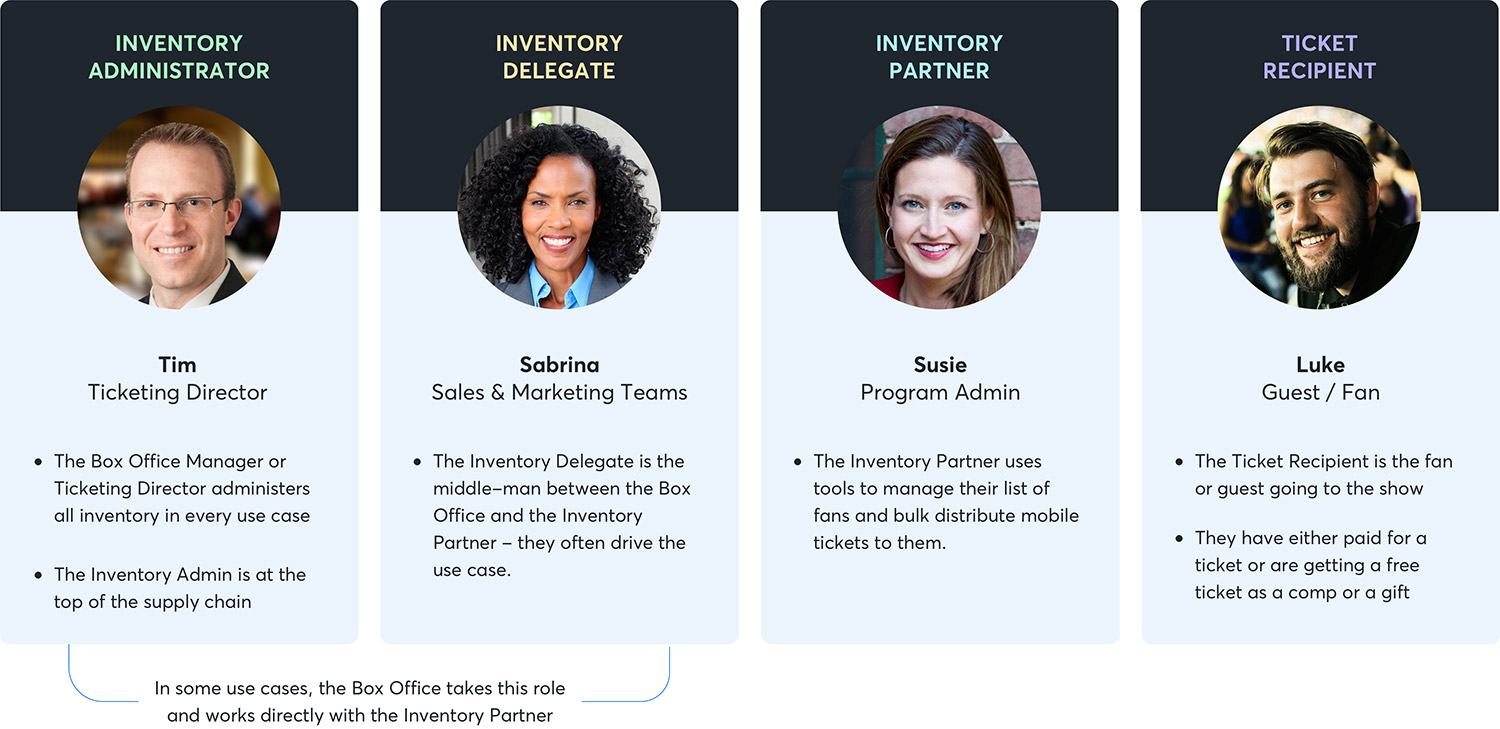
Persona Dynamics
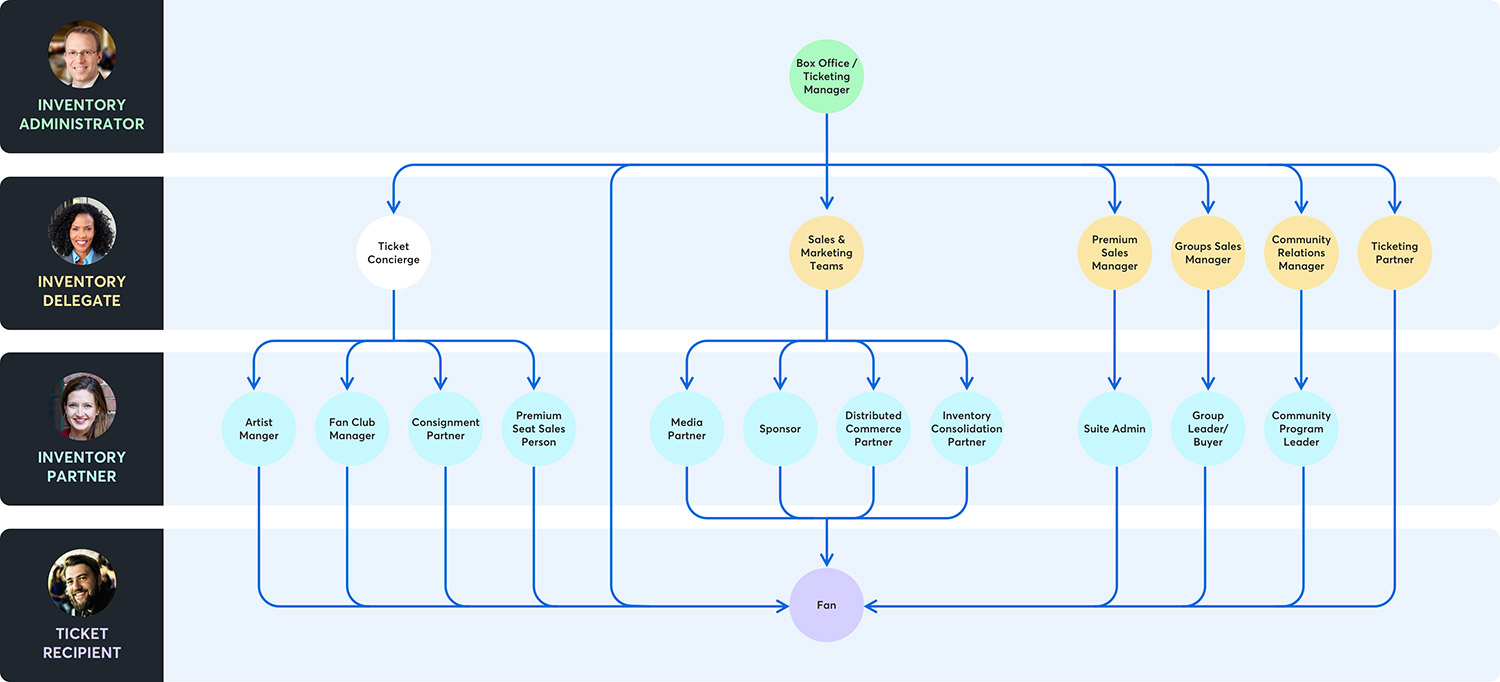
Client Journey Map for Each Use Case
Various client journeys were mapped for each use case in different models. The goal was to understand a complex journey in various use cases and design a solution to align our product goals.
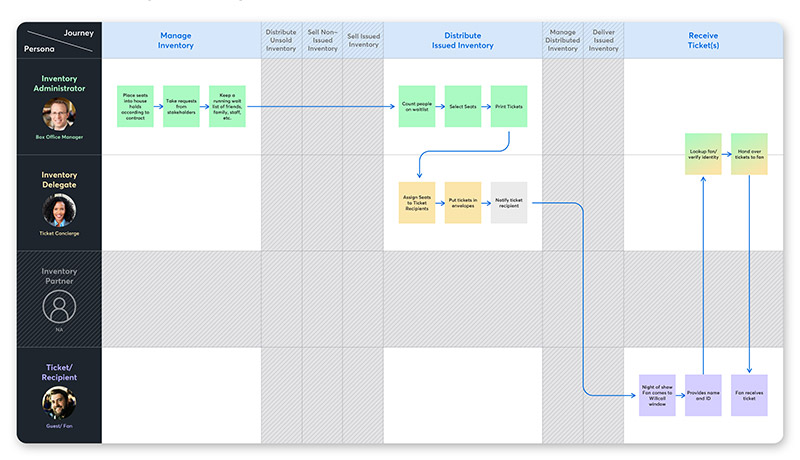
In-House Use Case
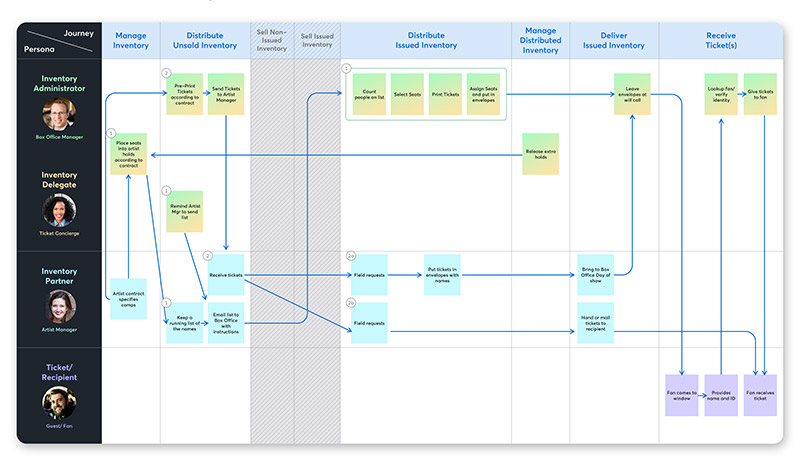
Artist Comp Use Case
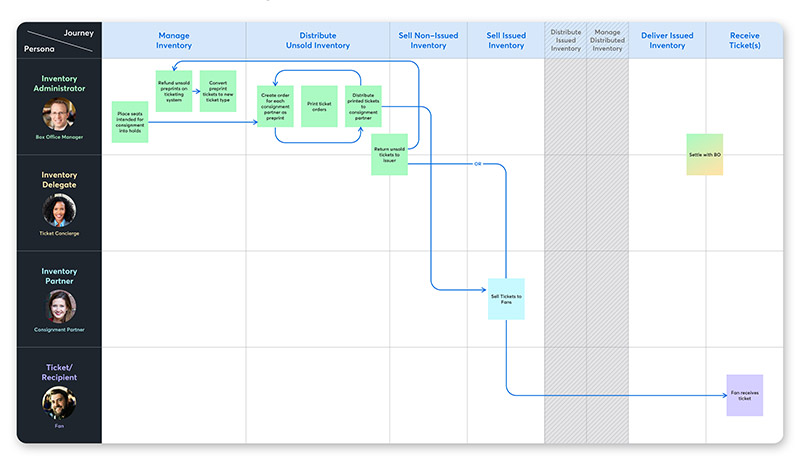
Consignment Sales
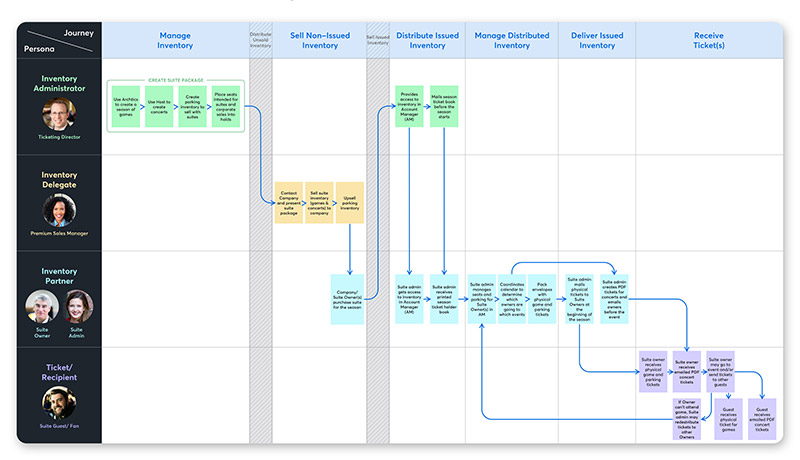
Corporate Suites
Balancing User Needs with Business Goals
The initial user research uncovered that there were multiple use cases and each client handled the bulk inventory differently. Some clients used 3rd party tools to manage their group inventory sales, and some clients manually managed inventory using spreadsheet tools, email, or paper tickets. For the MVP, I kept in mind the business goals and organizational capacity and decided to focus on the Verizon Up program use case. Verizon Up manages thousands of tickets per month, which provides high-impact with low touch. As Verizon Up is similar to other use cases, the program can be used as a blueprint that can be easily adapted into other clients’ pipelines. Finally, the design was an attempt to address various use cases for multiple clients.
Ideas to Action

BRAINSTORM
IDEATION
SKETCH
Setting Up The Structure
Wireframe
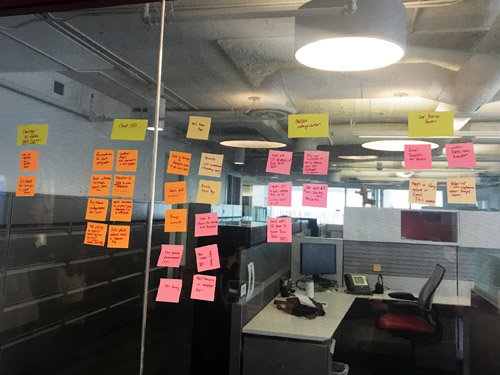
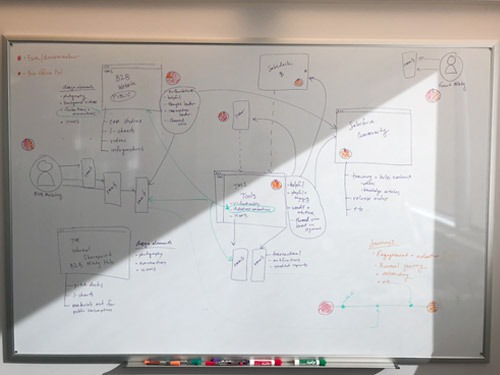
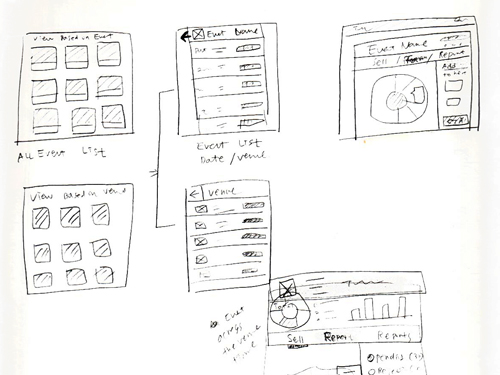
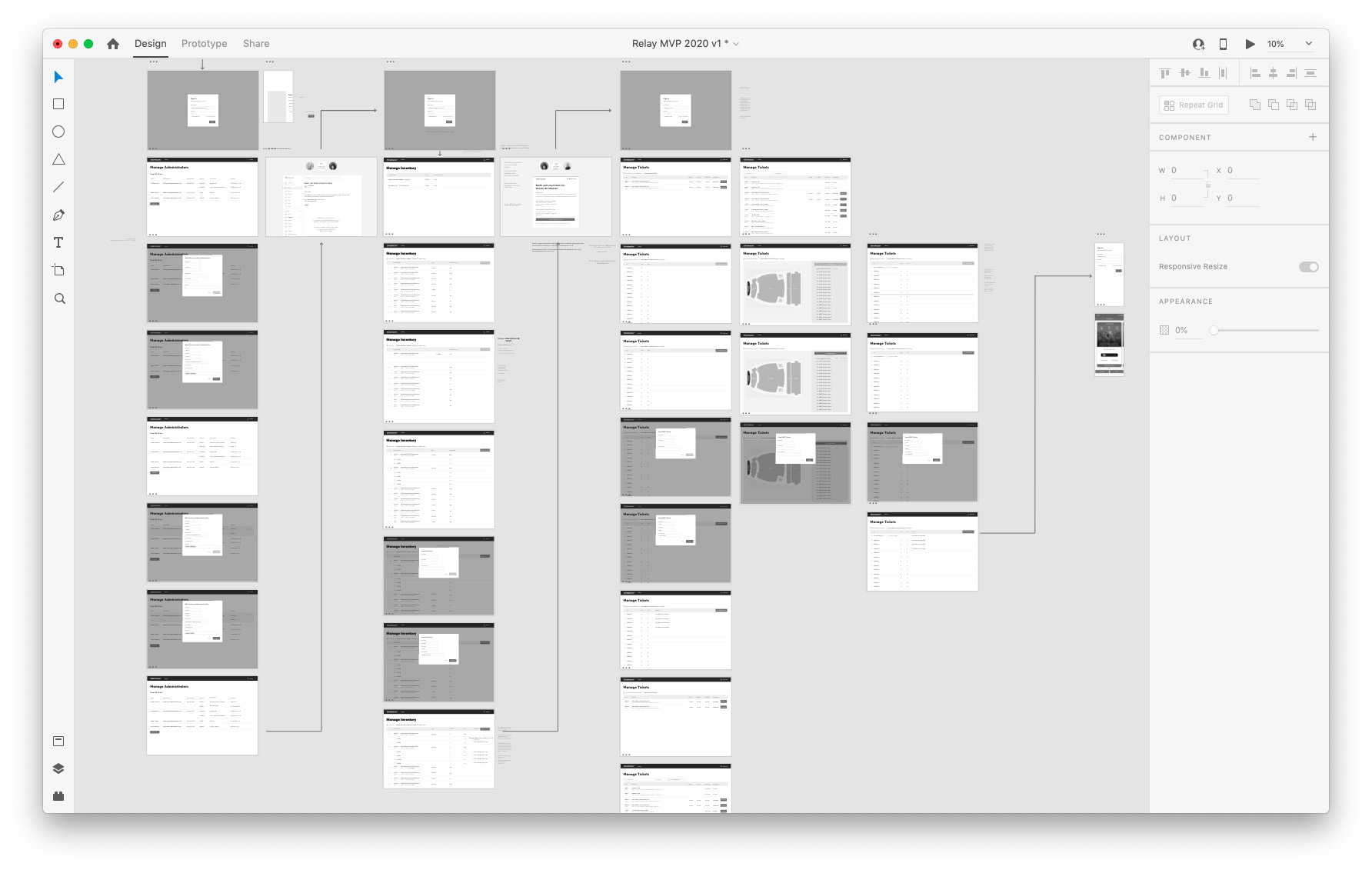
I sketched countless ideas and brainstormed various possibilities and created low-fidelity wireframes and prototypes to test.
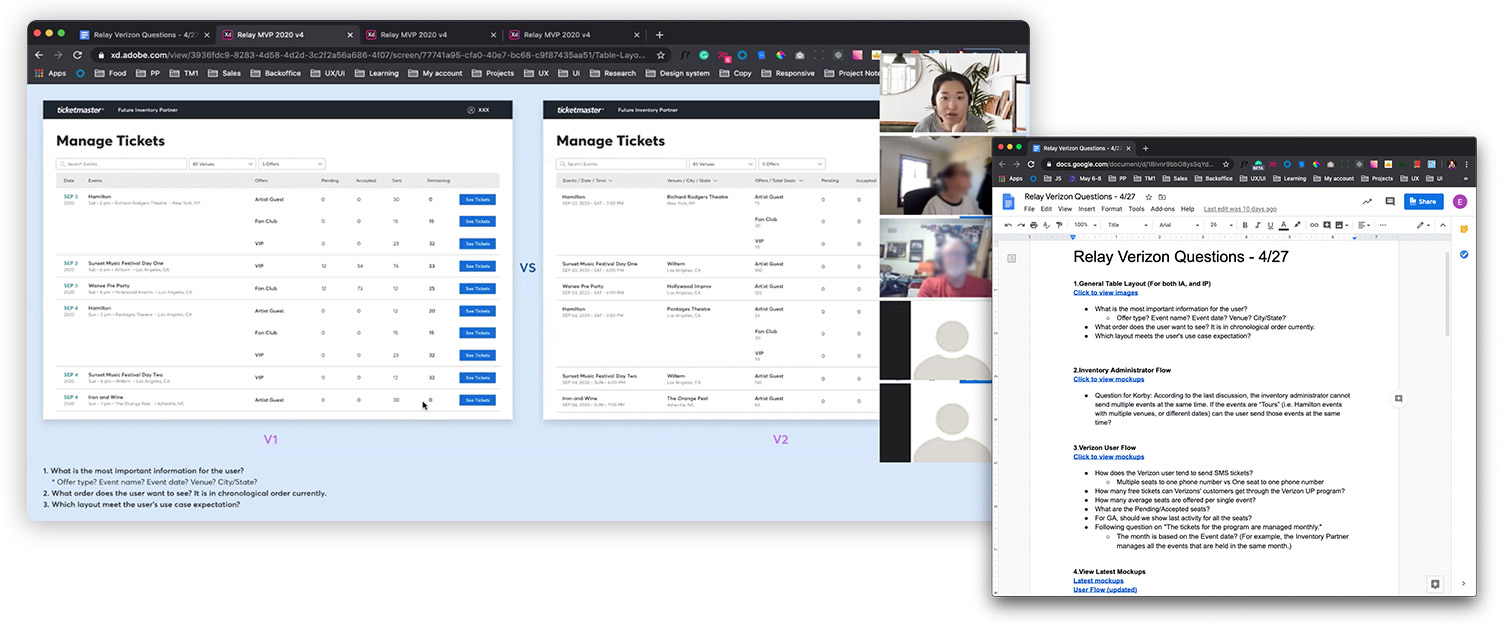
Getting the Client’s Validation
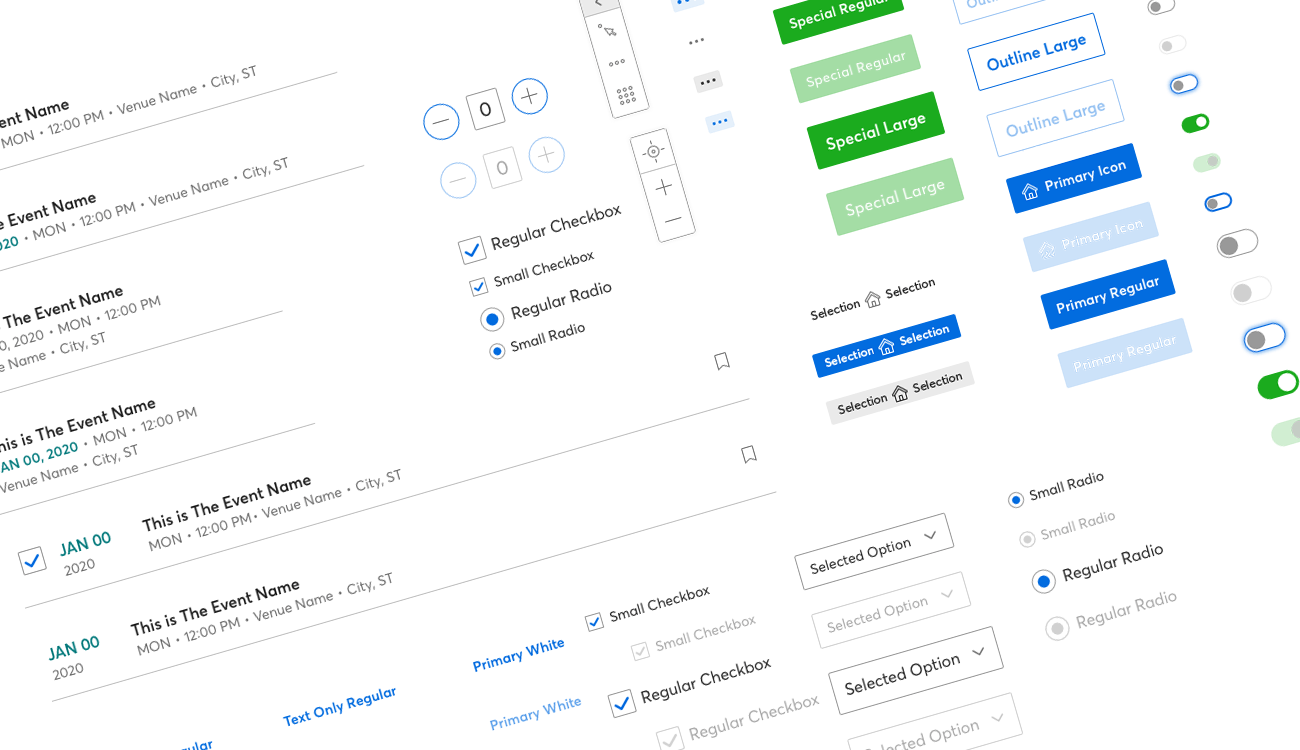
Design System
The final mockup was designed based on the Ticketmaster design system that was established early last year.
Design Exploration
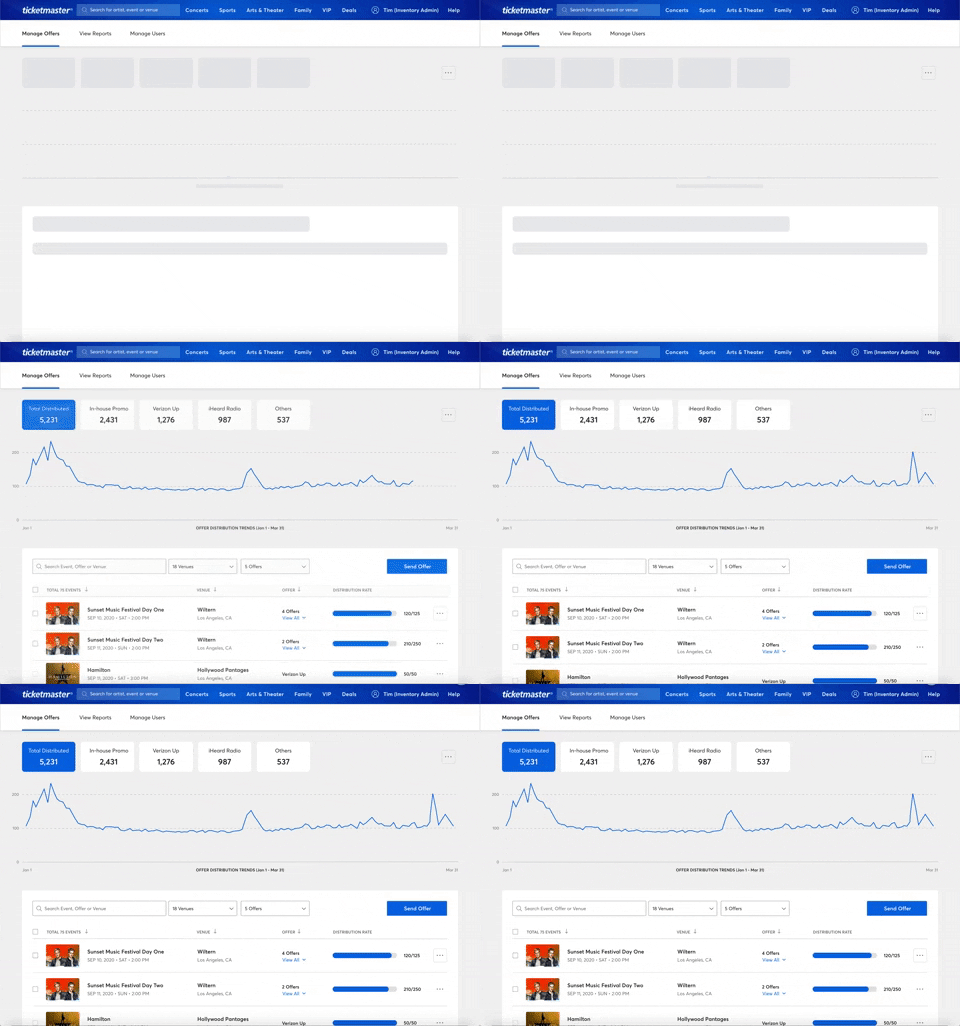
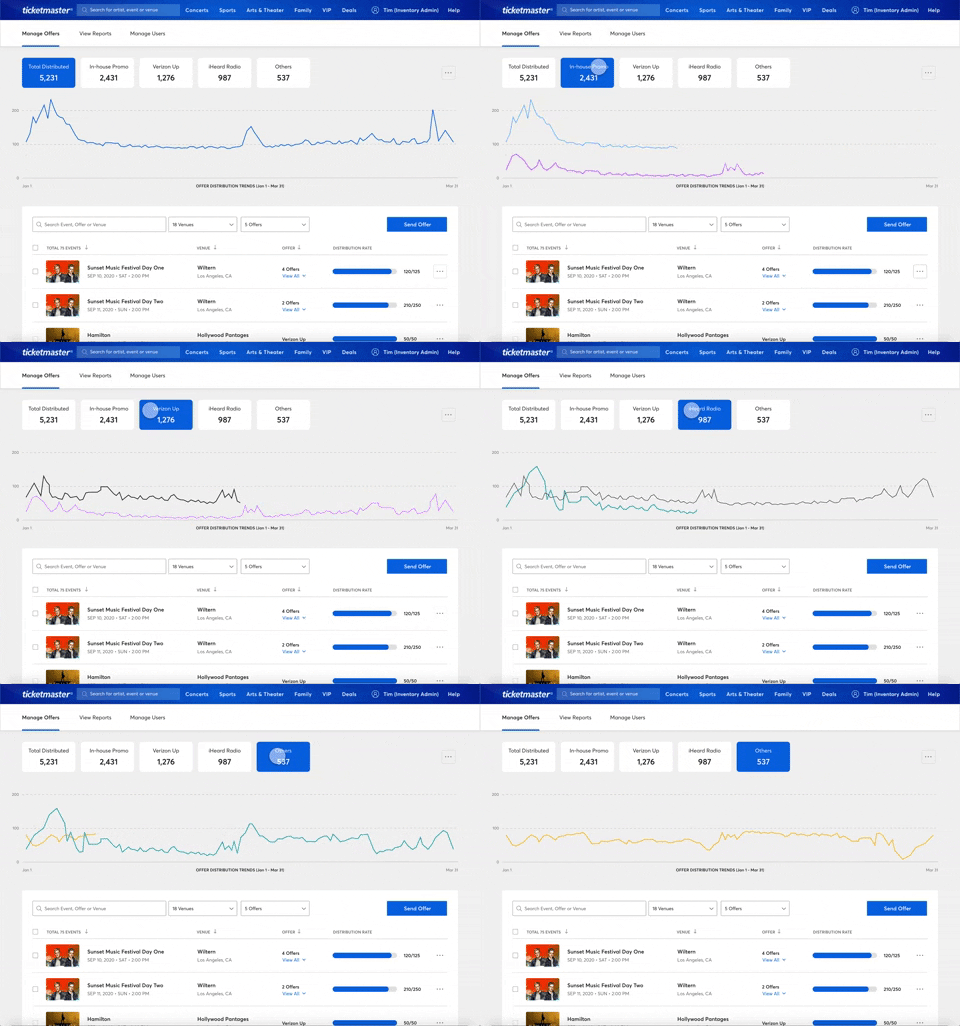
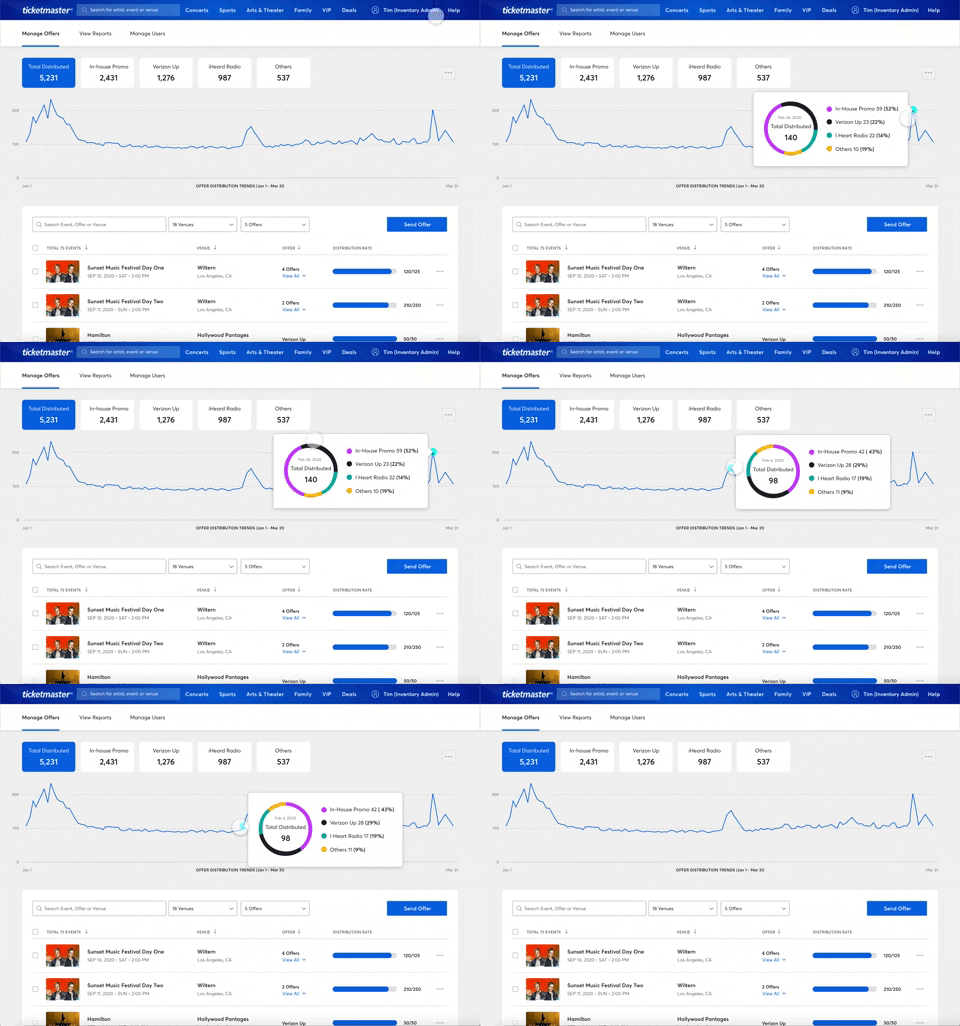
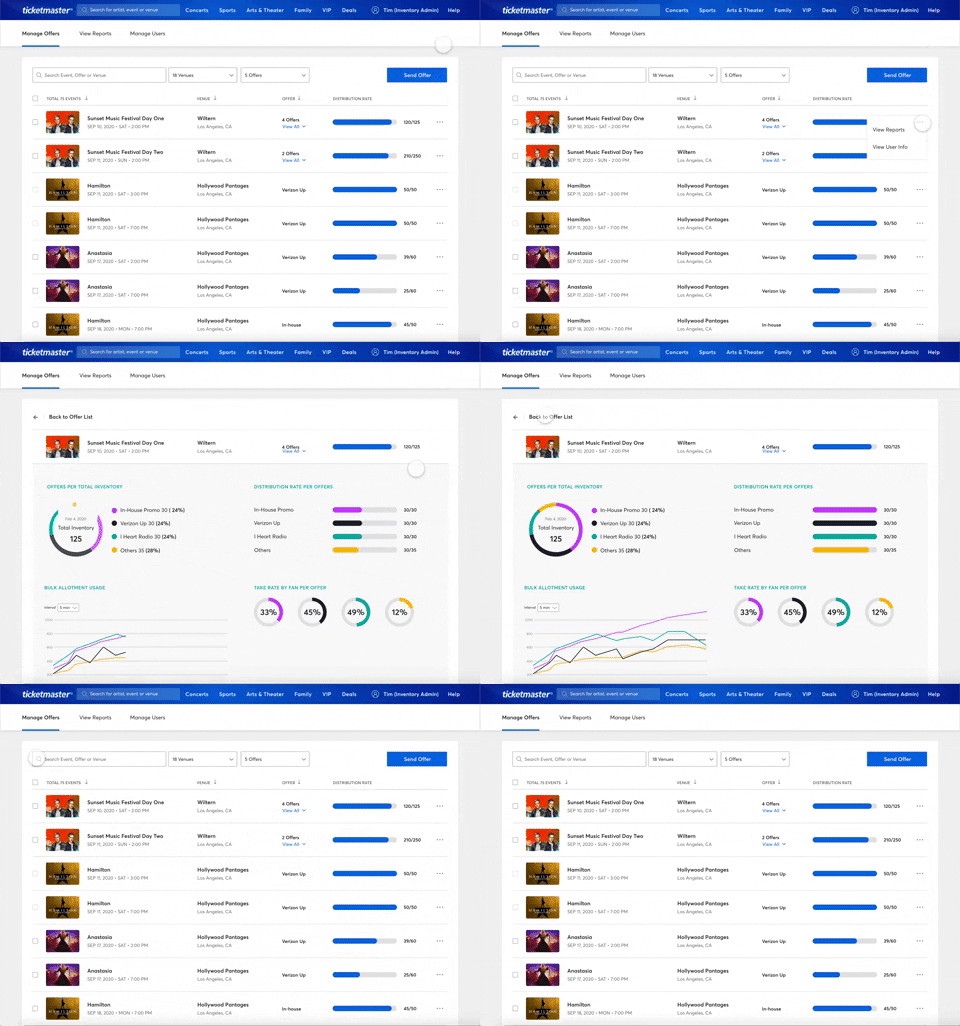
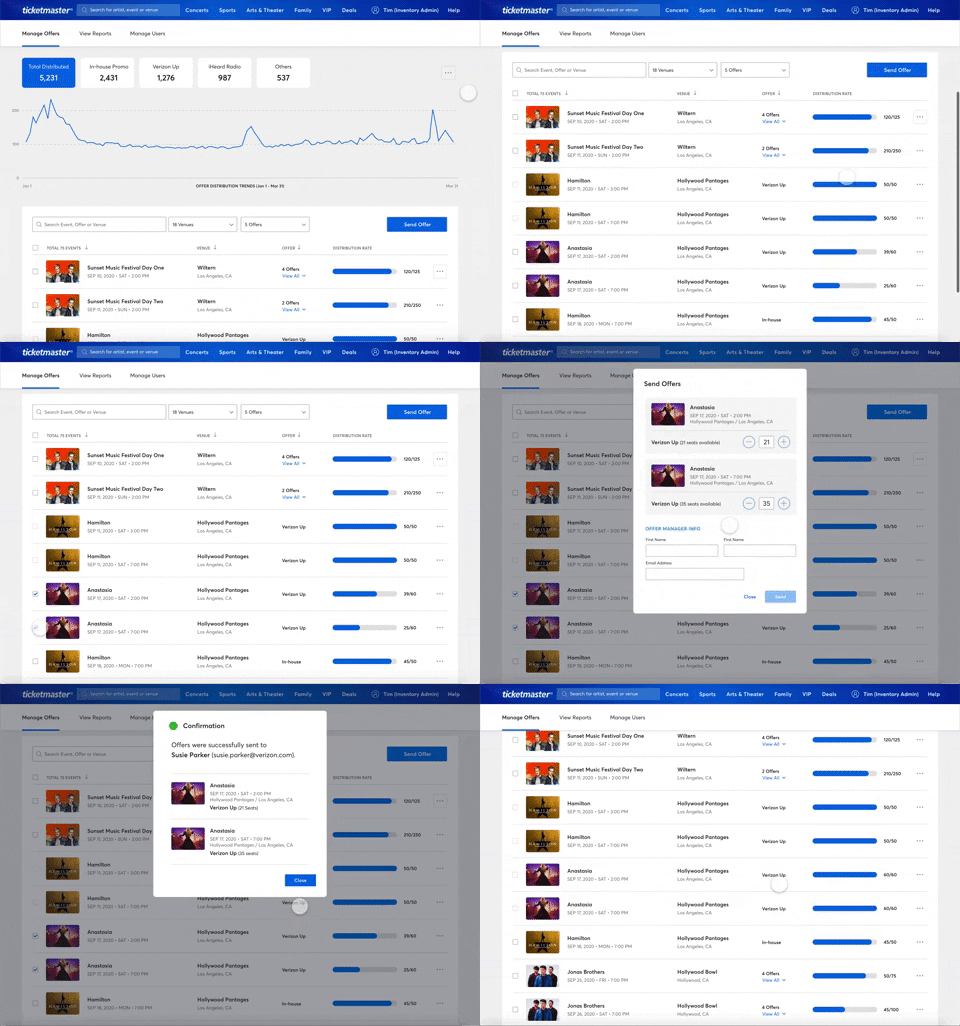
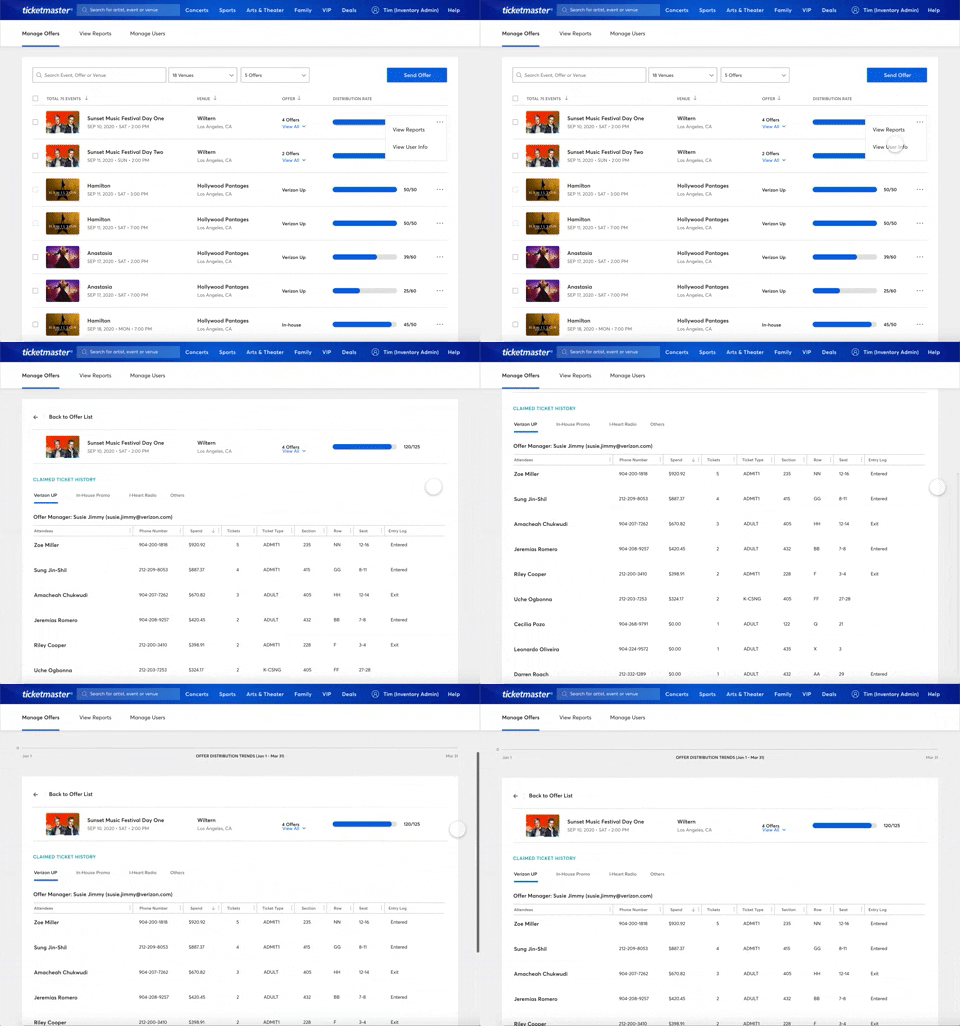
Final Deliverables
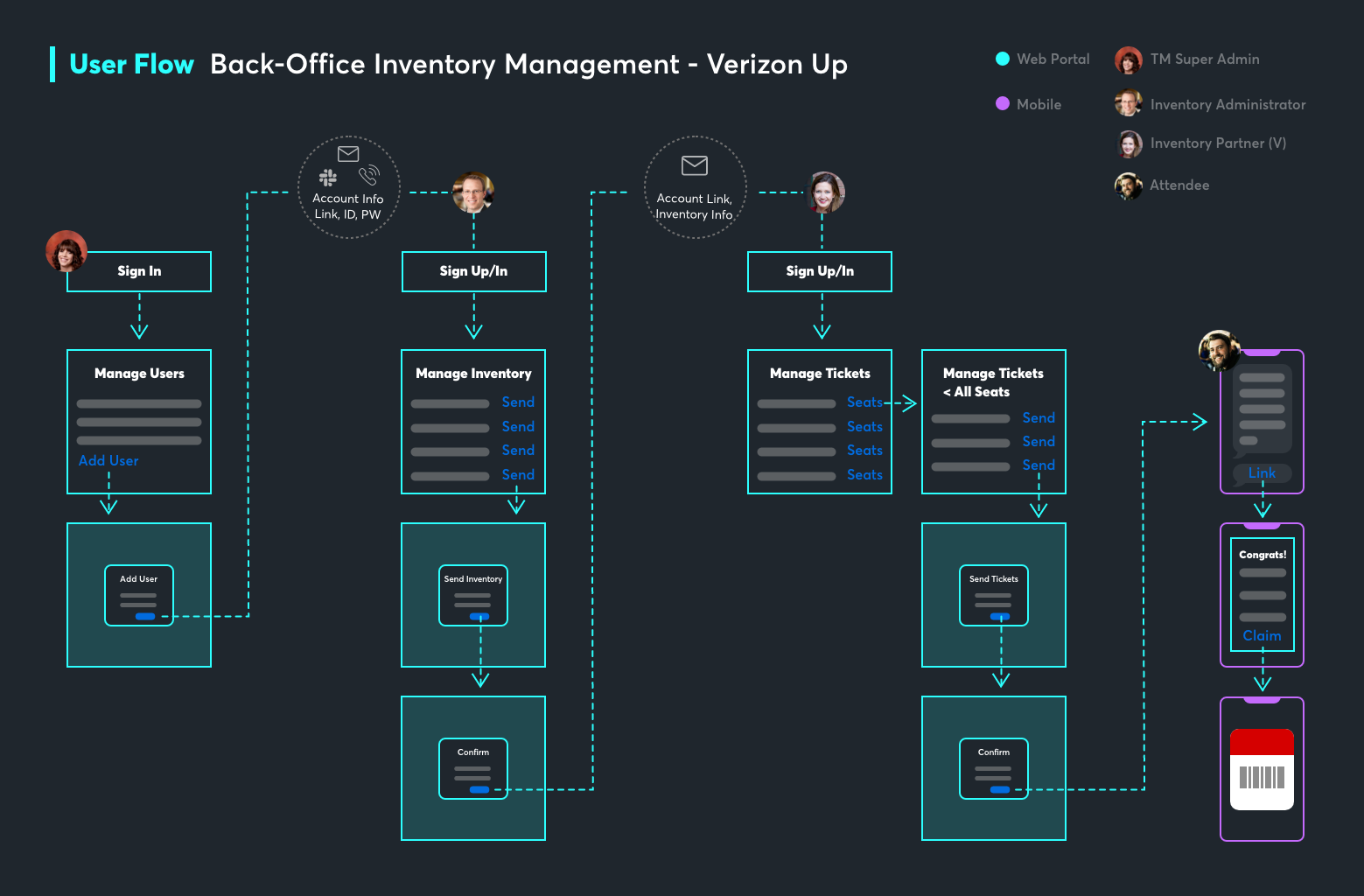
Manage Users Page for Super Admins: The super admins are Ticketmaster’s internal admin who manage external clients. The super admin can add/edit and remove users. By adding venue IDs, the user is able to view/manage all the offers within the venue.
Manage Offers Page for Inventory Administrators: Once the super admin creates an account for the inventory admin, they are able to login to the Ticketmaster portal to manage their assigned offers. The user is able to send multiple offers to inventory partners via email.
Manage Tickets Page for Inventory Partners: The Verizon inventory partner receives an email that their offers are added to their account to distribute to their customers. The user can view all the tickets and seat maps and send mobile tickets to their customers via phone.
Fan Receives Their Tickets via Phone: The end-user (fan) receives the text message to view their tickets.
Business Impact
 Reduce the cost of paper tickets
 Reduce the cost of paper tickets
 Increase the number of SafeTix events
Increase exposure to modern TM1 apps